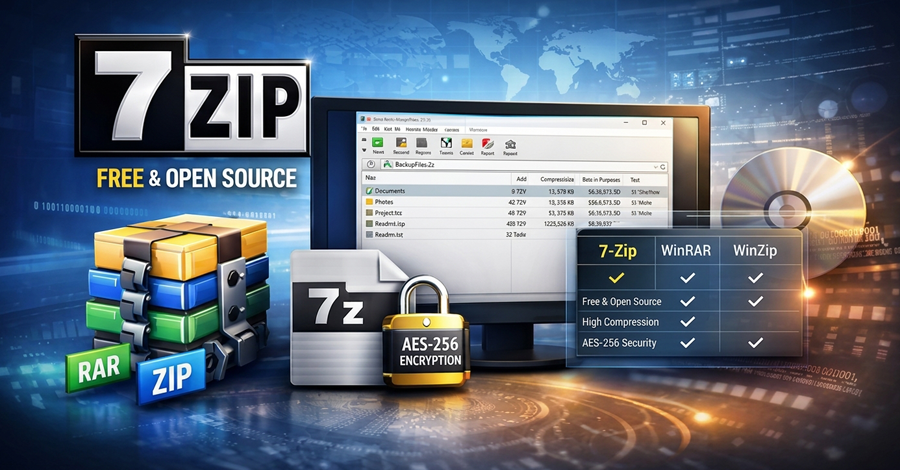
7-Zip Portable v26.04 released!
7-Zip Portable
7-Zip Portable is a portable build of 7-Zip, the open-source file archiver by Igor Pavlov. One package carries the x86, x64 and ARM64 builds, runs the one that is native to the computer, and keeps itself up to date.
It's built with the PortableApps Compiler (PAC-MAN): every change it makes to Windows is recorded first and undone when 7-Zip closes, or on the next launch if something went wrong.
Download
Downloads are in the Releases section. The package is in PortableApps.com format, so it installs into the PortableApps.com Platform or any folder you like.
Features
The full 7-Zip File Manager, plus the 7-Zip command line and GUI tools.
Native on every PC: x86, x64 and ARM64 builds in one package. ARM64 PCs run the ARM64 build instead of x64 under emulation. (See Builds)
Updates itself: checks the official 7-Zip releases at start and updates all three builds. A failed or interrupted update keeps the version you had. (See Updates)
Leaves nothing behind: file associations, the Explorer context menu and the SendTo shortcut exist only while 7-Zip runs. If 7-Zip or the PC crashes, the next launch cleans up before it starts.
No administrator rights: everything, the context menu included, is registered for the current user only.
Portable settings: 7-Zip's settings travel with the package in
Data\settings, including the folder history when the drive letter changes.Command line support: parameters passed to the launcher go to
7zG.exe, so7-ZipPortable.exe a backup.7z MyFolderworks as it would with an installed 7-Zip. (See Command line)Runs from a USB drive, a cloud folder or a hard drive.
System Requirements
Microsoft Windows 10 or later: x86, x64 or ARM64.
PortableApps.com Platform (optional).
An internet connection for updates (optional).
Configuration
7-ZipPortable.ini, next to the launcher (7-ZipPortable\7-ZipPortable.ini), holds the user settings. If it gets damaged, or you want to go back to the defaults, copy Other\Source\7-ZipPortable.ini over it.
[7-ZipPortable]
AdditionalParameters=
RunLocally=false
FileAssociations=true
ShellExtension=false
UpdateCheck=true
Architecture=auto
Banner=false| Key | Values | Default | What it does |
|---|---|---|---|
FileAssociations | true, false | true | "Open with" entries for archive types while 7-Zip runs. See Associations. |
ShellExtension | true, false, auto | false | The 7-Zip menu in Explorer's context menu while 7-Zip runs. auto adds it only when no installed 7-Zip already provides one. See Context menu. |
UpdateCheck | true, false | true | Check for a new 7-Zip at start and offer to update. |
Architecture | auto, x86, x64, arm64 | auto | Which build to run. auto picks the native one. |
Banner | true, false | false | Show a banner while 7-Zip starts. |
AdditionalParameters | text | empty | Extra command line switches passed to 7-Zip. |
RunLocally | true, false | false | Copy 7-Zip to the TEMP folder and run it from there. |
Builds
The package holds three builds:
| Folder | Build | Runs on |
|---|---|---|
App\7-Zip | x86 | Every Windows PC |
App\7-Zip64 | x64 | 64-bit Windows: x64, and ARM64 under emulation |
App\7-ZipARM64 | ARM64 | ARM64 Windows |
The launcher runs the build that matches the architecture Windows itself runs on, so an ARM64 PC is told apart from an x64 one. If that build is missing, it falls back to the next one (ARM64, then x64, then x86) instead of failing to start.
To force a build, set Architecture=x86, x64 or arm64 in 7-ZipPortable.ini. The ARM64 build can only be forced on ARM64 Windows.
Updates
With UpdateCheck=true, the launcher looks up the latest release on 7-Zip's GitHub page each time it starts. When there's a newer version, or one of the three builds is missing (in copies made before the ARM64 build existed, for example), it asks before doing anything.
An update is all or nothing:
- All three installers are downloaded. If any download fails, nothing changes.
- Each one is unpacked next to the current build, into a separate folder. If any of them can't be unpacked, nothing changes.
- The new builds are swapped in. Each swap is recorded first, so if one fails, or the launcher is interrupted halfway, the previous version is put back, on the spot or on the next launch. The update uses the package's own 7-Zip to unpack the official installers, so it needs no other tools.
A build can't be replaced while it's in use. If the update says so, close every 7-Zip window and try again. If the context menu was on, Explorer may hold on to its DLL for a few minutes after 7-Zip closes.
To update by hand instead, set UpdateCheck=false and install a newer release of 7-Zip Portable over the old one. Your settings in Data are kept.
Command line
Parameters passed to 7-ZipPortable.exe go to 7zG.exe, 7-Zip's GUI command tool, which shows progress and prompts in a window:
7-ZipPortable.exe a "D:\Backups\Projects.7z" "D:\Projects"
7-ZipPortable.exe x "D:\Downloads\archive.zip" -o"D:\Extracted"
Without parameters, the launcher opens the 7-Zip File Manager (7zFM.exe). Either way it runs the build that matches the PC. The commands and switches are the same as 7-Zip's own; see the 7-Zip help file (7-zip.chm) for the full list.
Associations
While 7-Zip runs, archive types get an Open with 7-Zip entry, each with its 7-Zip icon. Windows stays in charge of which program is the default: a type that already has a default program (.zip, which Windows opens itself, for example) only gains an "Open with" entry. A type with no program at all opens in 7-Zip.
Supported types:
001, 7z, arj, bz2, bzip2, cab, cpio, deb, dmg, fat, gz, gzip, hfs, iso, lha,
lzh, lzma, ntfs, rar, rpm, squashfs, swm, tar, taz, tbz, tbz2, tgz, tpz, txz,
vhd, wim, xar, xz, z, zip
Everything is written for the current user only and removed when 7-Zip closes. Turn associations off with FileAssociations=false.
To change the list, edit the [FileAssociationN] sections in App\AppInfo\Launcher\7-ZipPortable.ini. There's one section per archive icon; keep the section numbers consecutive. Set IfExists=replace in a section to make 7-Zip the default for those types while it runs; the previous default comes back when it closes.
Don't associate file types through 7-Zip itself (Tools > Options > System). Those settings are written by 7-Zip, not by the launcher, so they stay behind after 7-Zip Portable closes.
Context menu
With ShellExtension=true (or auto), Explorer's right-click menu gets the 7-Zip menu while 7-Zip runs: Add to archive, Extract here, Extract to, Test archive, CRC SHA and the rest, plus drag-and-drop handling.
- It's registered the same way 7-Zip's own "Integrate 7-Zip to shell context menu" option does for a single user. No administrator rights are needed.
- It uses the build that matches Explorer. If you force the x86 build on 64-bit Windows, there's no context menu, because 64-bit Explorer can't load a 32-bit DLL.
- If an installed 7-Zip already has a menu for your account, its registration is put back exactly as it was when 7-Zip Portable closes. With
auto, the portable menu isn't added at all when an installed 7-Zip provides one for the whole machine.
Explorer keeps the context menu's DLL loaded for a while after 7-Zip closes. Until it lets go, Windows may refuse to eject the USB drive 7-Zip Portable is on. That's why the menu is off by default.
Don't turn the menu on through 7-Zip itself (Tools > Options > 7-Zip > Integrate 7-Zip to shell context menu). Use ShellExtension= instead, so it's cleaned up when 7-Zip Portable closes.
SendTo
While 7-Zip runs, Send to > 7-Zip opens any file in the 7-Zip File Manager. The shortcut is removed when 7-Zip closes, and a SendTo shortcut you already had with the same name is put back.
If something goes wrong
If 7-Zip Portable didn't close properly (a crash, a power cut, a USB drive pulled out), the next launch tells you and undoes everything the last session changed before it starts 7-Zip again. You don't need to do anything else.
If a launch can't undo something yet, it says so and tries again next time. Nothing is dropped.
When reporting a problem, please include an export of the HKEY_CURRENT_USER\Software\pac-man\Journal registry key and the contents of %LOCALAPPDATA%\pac-man\Journal.
Building from source
The launcher is built with the PortableApps Compiler. Its configuration lives in App\AppInfo:
| File | Contents |
|---|---|
App\AppInfo\AppInfo.ini | Package details and version |
App\AppInfo\Launcher\7-ZipPortable.ini | The launcher configuration: executables per build, associations, saved settings |
App\AppInfo\Launcher\custom.nsh | Build selection, the updater, the context menu, SendTo and language handling |
Point PortableApps Compiler at the package folder and compile. The launcher's per-architecture keys (ProgramExecutableARM64, ProgramExecutableWhenParametersARM64 and the rest) need the current pac-man.
Credits
- 7-Zip Portable is a redistribution of 7-Zip, developed by Igor Pavlov. 7-Zip is mostly licensed under the GNU LGPL; some parts are under the BSD 3-clause license, and the RAR code carries the unRAR restriction. See
License.txtin each build folder. - PortableApps.com Platform by PortableApps.com.
- PortableApps Compiler developed by daemon.devin.
0 Comments
No comments yet. Be the first.